


Chargers play a crucial role in using electronic devices like smartphones, laptops, tablets, and more. They are battery-operated and need to be charged according to the device’s usage. If you are buying or replacing a laptop charger, then this guide is for you. We will discuss several things related to this topic, so keep reading.
Also Read :Asian Financial Markets: The Rise of FtasiaFinance Business
Types Of Chargers
Let’s understand different types of laptop chargers:
Standard AC Adapters
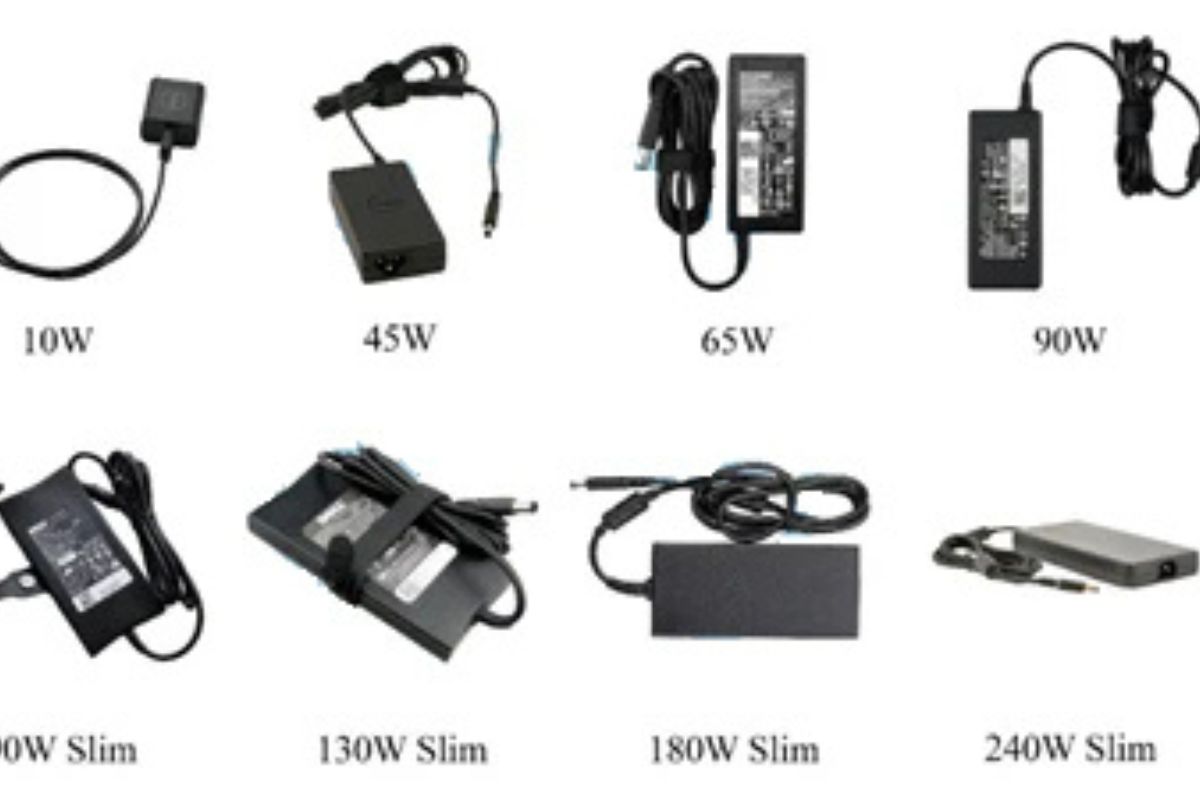
The AC adapter is the most common laptop charger that millions of laptop users worldwide use to charge their laptops. Usually, it comes with these specifications:
Voltage and Wattage: AC adapters vary by voltage (usually between 16V and 20V) and wattage (typically 45W, 65W, 90W, or higher).
Connector Type: Older laptops often use barrel connectors, cylindrical plugs that vary in size depending on the brand.
Brand-Specific Designs: Manufacturers like HP, Dell, Lenovo, and Toshiba each have unique barrel sizes, making cross-compatibility rare without an adapter.
USB-C Chargers
Modern laptops provide USB-C chargers, increasing their compatibility with other chargers.
Universal Port: USB-C is standardized to use one charger for multiple devices, such as laptops, phones, and tablets.
Power Delivery (PD): The USB-C PD protocol allows higher wattages, often up to 100W or more, suitable for demanding laptops.
Compact Design: USB-C chargers are lighter and more portable than traditional AC adapters
However, the charging speed will differ due to variations in charging power. A 30W phone charger can’t charge your laptop as fast as its 65W charger, but it is a significant benefit that you can charge all your devices with one charger if they support Type-C charging.
Proprietary Magnetic Chargers
Magnetic charging connectors are used to charge your device with a magnetic charger. This is a special feature not available in all laptops.
Apple MagSafe: Apple popularized this design by promoting it as one of the core features of its devices. It became a famous perk, and other brands also started including it in their devices.
Microsoft Surface Connect: Microsoft also provides a similar charging experience for its Surface laptops.
How To Choose The Right Laptop Charger
Selecting the correct charger is essential for the laptop’s overall health and ensuring its longevity. Follow these tips to make the right choice:
Always check wattage and voltage requirements before purchasing a new charger. You can refer to the details mentioned on your laptop’s back or check your old charger to find the ideal power requirement for your computer.
Charge your laptop for a few minutes to check whether it works well with your computer or not.
If your budget allows, opt for chargers manufactured by the original equipment manufacturer (OEM), as they are the safes
Frequently Asked Questions (FAQs)
Can I Use A Higher-Watt Charger On My Laptop?
Yes, it is safe to charge your laptop with a higher-watt charger. Still, it should be occasional, as it can reduce your battery life.
Are Universal Chargers Safe?
Yes, universal chargers are safe, but before buying one, match its voltage with your laptop’s requirement and always buy one from a reputable brand.
Do All USB-C Chargers Work With Laptops?
No, your laptop has to be compatible with USB-C chargers; not all laptops are compatible with USB-C chargers.
Conclusion
Laptop chargers come in many forms. Choosing the right one directly affects your laptop’s use experience as it ensures optimal power delivery, compatibility, and safety. Investing in a well-manufactured charger by the original brand is always a wise investment. In this article, we shared some of the most useful buying tips for charging and discussed various types of laptop chargers. We hope you like reading this post and found it informative. If so, do share this post with others as well.




Leave a comment